
Streams
The sidebar lists every JetStream stream on the connected server. Selecting one opens a stream view with four tabs: Messages, Config, Consumers and Publish.
You can create a stream, edit its config, purge it, seal it and delete it without dropping to the nats CLI.
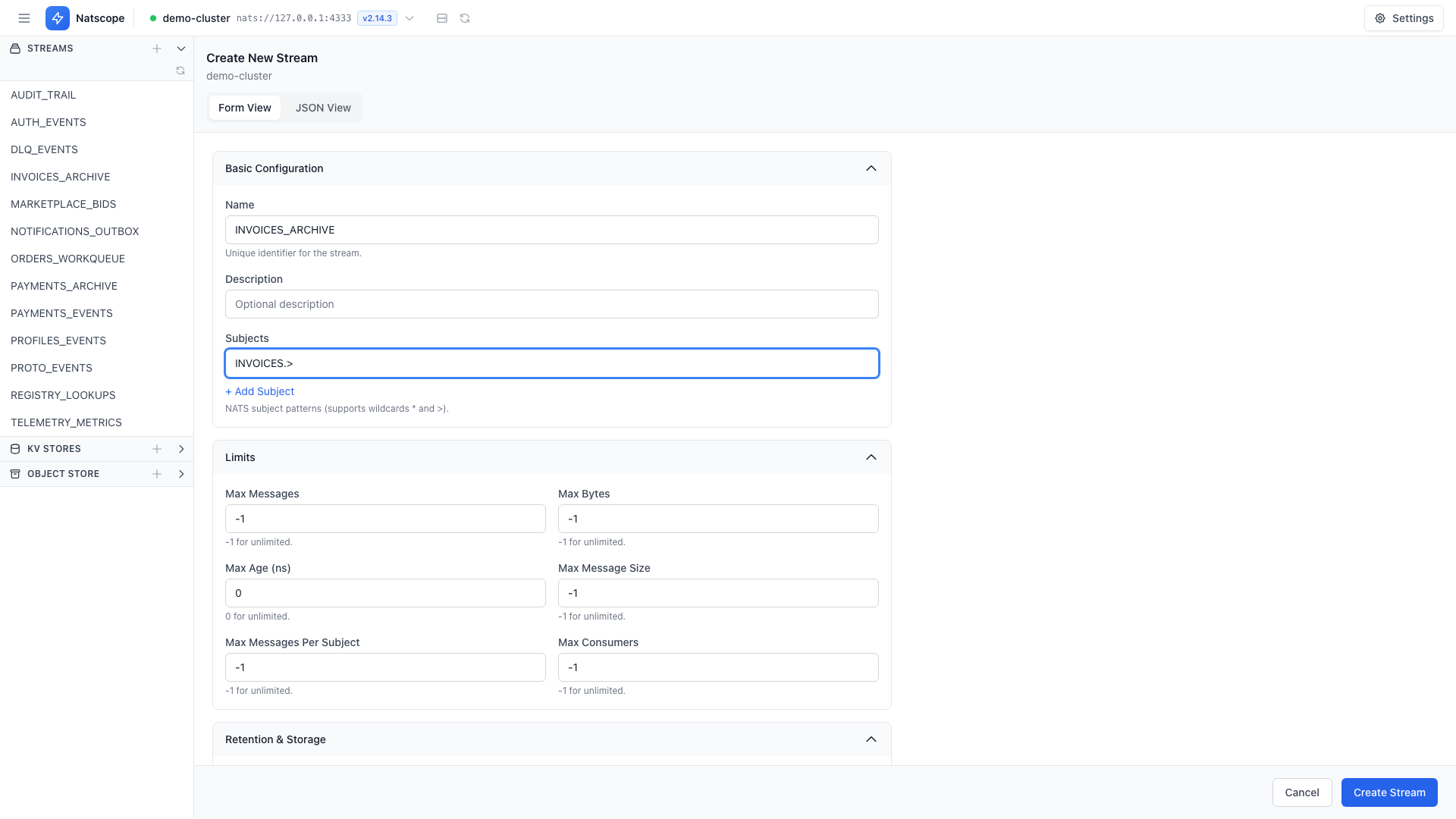
Create a stream
Click the + next to Streams in the sidebar, or open /streams/new. The Create New Stream page offers two editing modes:
- Form View — every config field as a form control
- JSON View — paste or edit the raw stream config
The form covers the name and subjects, retention policy, storage backend, limits, replicas, discard policy, compression and the advanced flags (deny delete/purge, allow direct, rollup, per-message TTL). The JSON view accepts a full JetStream config document. Click Create Stream when you are done.
Inspect and edit config
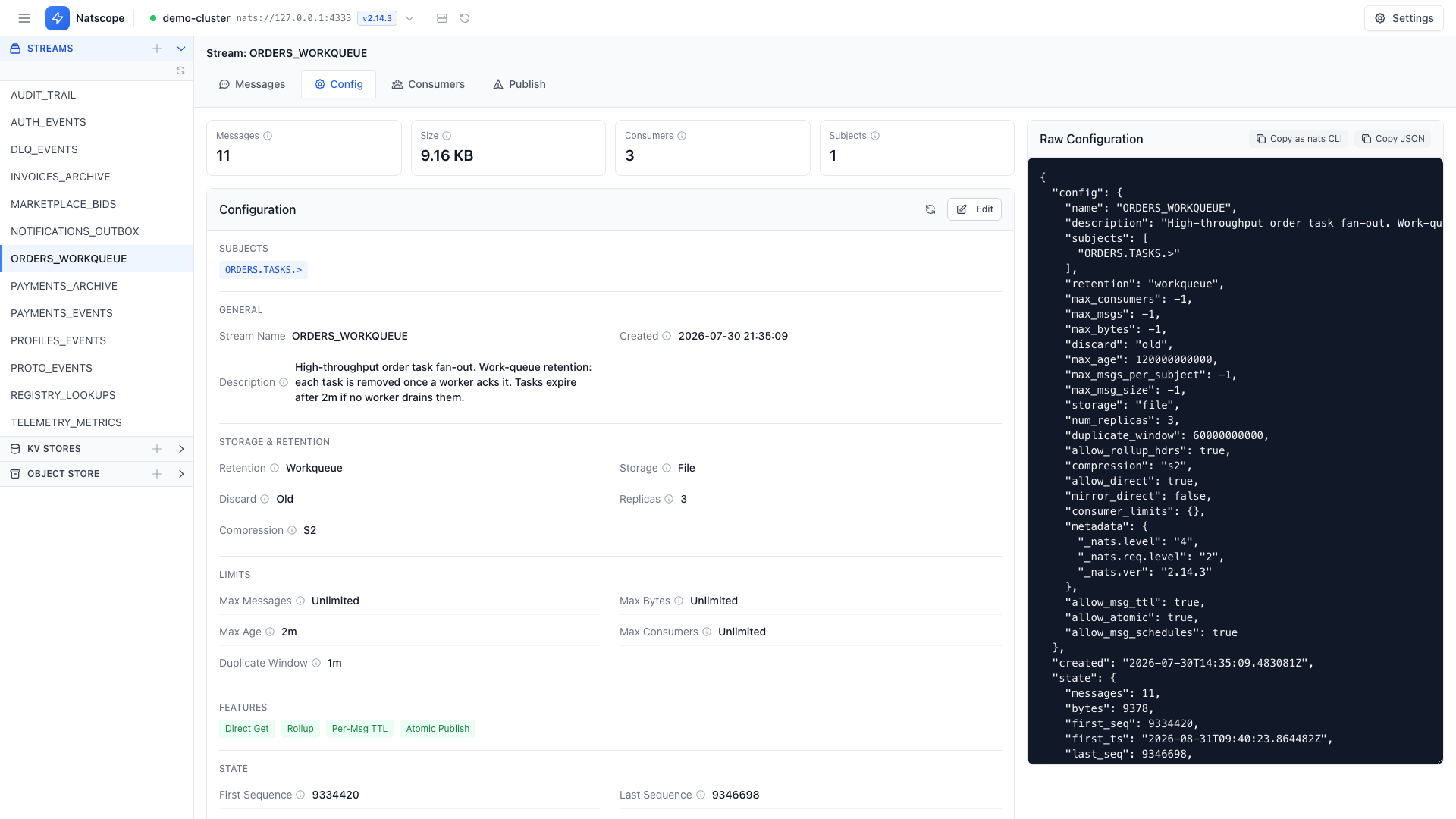
The Config tab shows the current stream configuration and lets you edit it in place. Saving opens a diff first: Confirm Stream Configuration Changes lists exactly which fields change before anything reaches the server.
Purge, seal, delete
The Config tab holds the destructive actions:
- Purge — drop messages, keep the stream. Purge everything, or scope it by subject, by sequence, or to keep the last N messages.
- Seal — make the stream read-only for good
- Delete — remove the stream
Each one asks for confirmation. Irreversible operations keep type-to-confirm even after you disable the other prompts. See Settings.
Copy as nats CLI
The Config tab has a Copy as nats CLI action that turns the current stream configuration into a ready-to-paste nats stream add command. Use it to script the same stream elsewhere, or to file the config in a repo.