
Connections
A connection is a saved NATS endpoint: one or more server URLs, an auth method, and optional TLS material. Natscope keeps as many as you want and switches between them from the header dropdown.
The backend pools connections lazily. It opens a NATS connection on first use and reuses it, so saving a connection does not dial anything until you select it.
Add a connection
Go to Settings → Connections (or click New Connection on the start screen).
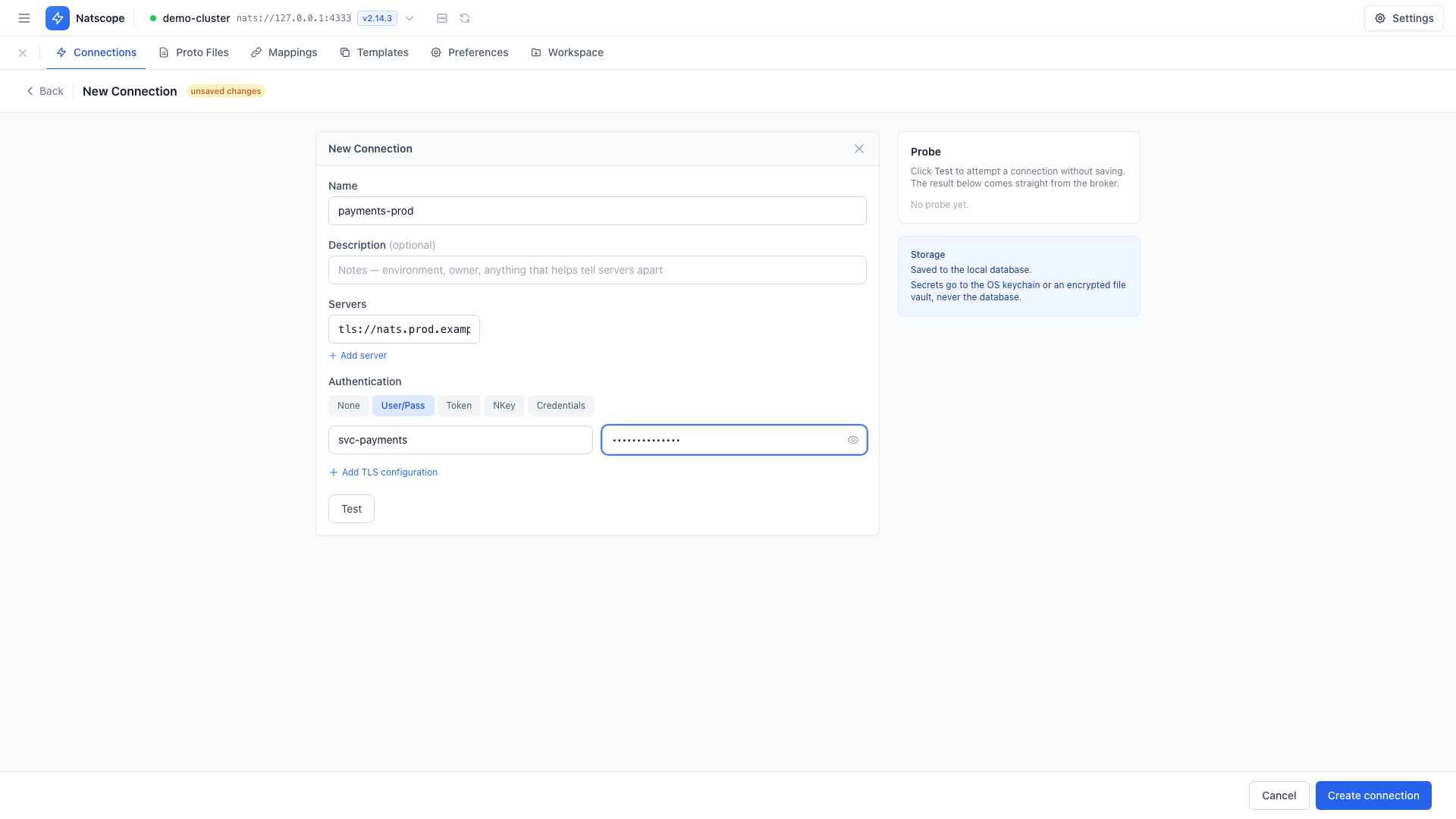
- Name the connection, add an optional Description.
- Add URLs under Servers. Use Add server for each extra node; multiple URLs give cluster failover. Supported schemes:
nats://,tls://,ws://,wss://. - Choose an auth method:
- None
- User/Pass — username and password
- Token
- NKey — paste a seed or upload a
.nkfile - Credentials — paste or upload a
.credsfile (JWT + seed)
- Optional: click Add TLS configuration for a CA certificate (PEM), a Client certificate and Client key (mutual TLS), Skip certificate verification for self-signed dev certs, and TLS handshake first for NATS 2.10+ servers running
tls_handshake_first. - Click Test to check round-trip time, server version and JetStream availability.
- Click Connect.
Manage saved connections
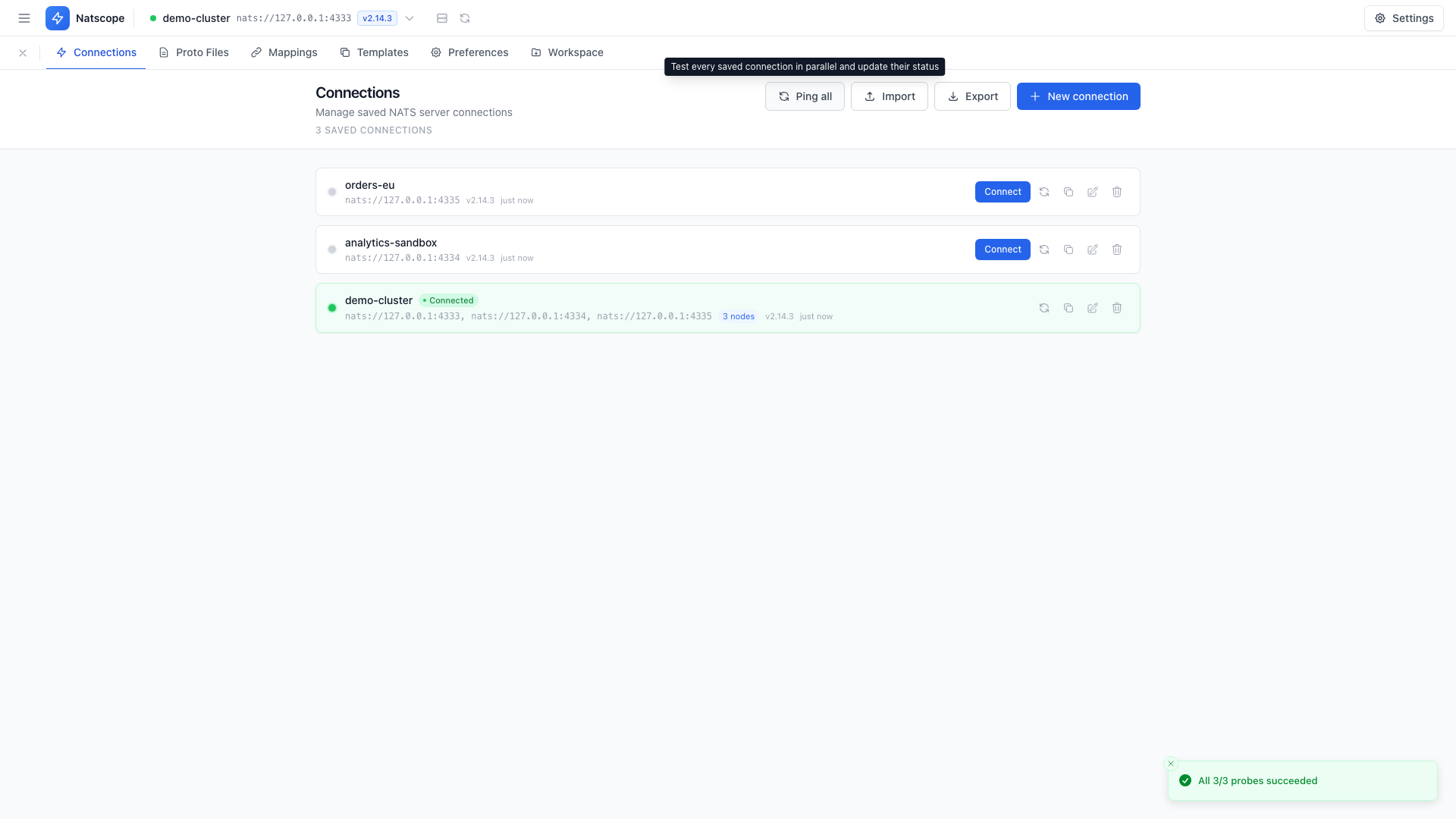
Each connection row carries its own actions:
- Connect — make it the active connection
- Ping — test it without switching
- Duplicate — copy it as a starting point for a similar endpoint
- Edit
- Delete
Rows show a Connected chip when active, a node count for multi-URL connections, and TLS badges (TLS, mTLS, TLS skip-verify).
Where credentials live
Passwords, tokens, NKey seeds, credentials files and TLS private keys go to the secret vault: your OS keychain, or an AES-256-GCM file vault on hosts without one. The bbolt database stores the connection metadata and a reference to the secret, never the secret itself. See Secrets.
Workspace exports skip secrets entirely. Imported connections are flagged so you know to re-enter credentials. See Workspace.