
Publishing
The Publish tab of a stream sends a message. Write raw JSON or text for plain subjects, or let Natscope encode JSON into Protobuf binary when a subject mapping resolves the message type.
Publish a message
- Open a stream and go to the Publish tab.
- Enter a Subject Pattern. When a mapping matches, the editor resolves the message type on its own.
- Pick the encoding: automatic, JSON, or Protobuf.
- Write the payload. With a resolved Protobuf type you get field autocompletion and live validation.
- Add NATS headers if you need them.
- Click Publish Message, or press
Cmd+Enter(Ctrl+Enteron Windows and Linux).
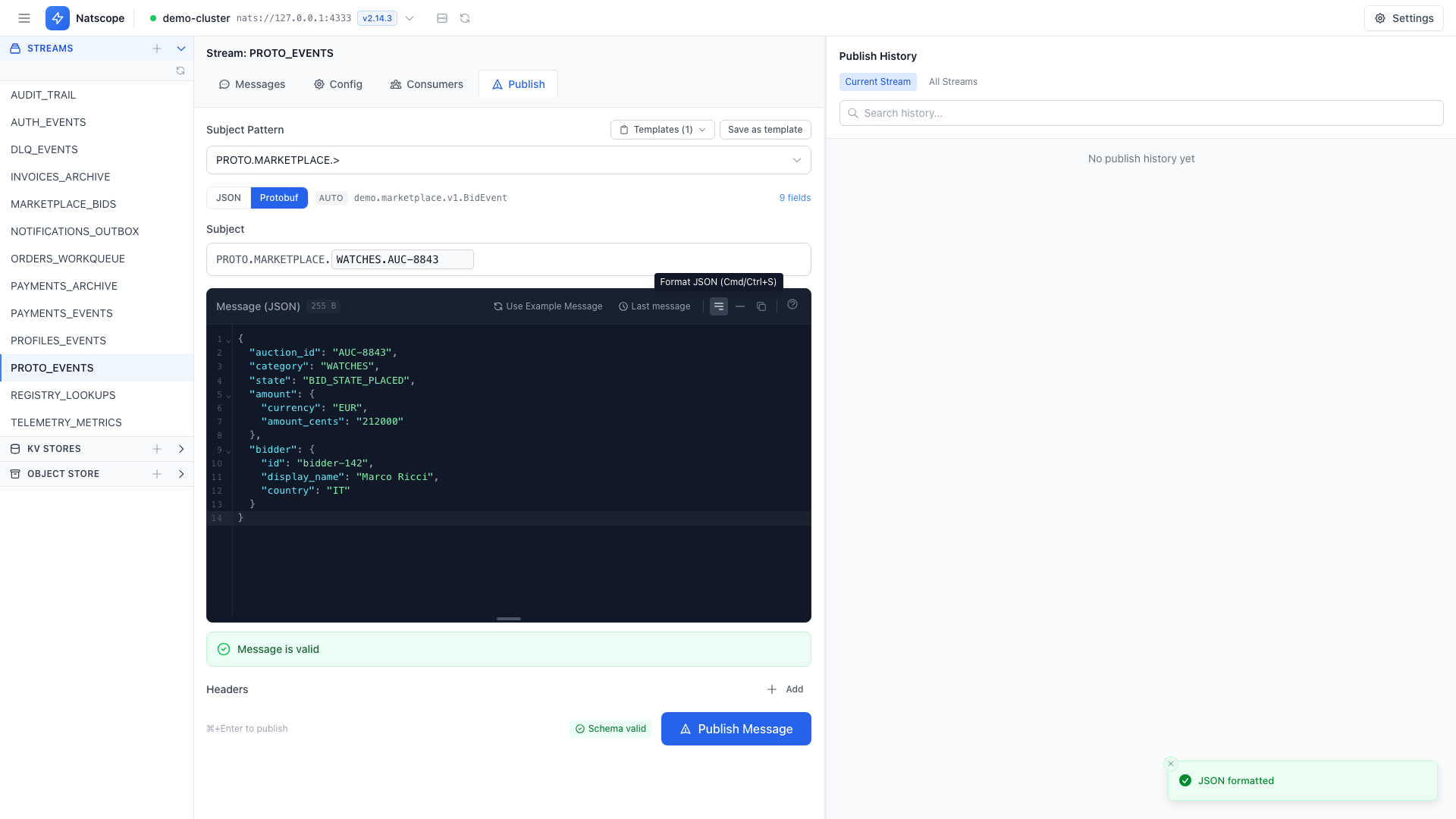
Schema validation
With a Protobuf type resolved, the editor validates as you type and shows Schema valid, Schema invalid with a violation count, or Validating…. Fixing the violations before publishing beats debugging a rejected message on the consumer side.
Natscope can also generate an example payload for any message type in the registry, which gives you a correct skeleton to edit.
Headers
Add any NATS headers as key/value pairs. They travel with the message and show up in the message viewer alongside the payload.
Publish timeout
Settings → Preferences → Publish sets the JetStream ack timeout in seconds.
Templates and history
- Save the current draft with Save as template, or load a saved one from the Templates dropdown. See Templates.
- Every publish is logged. The Publish History panel sits on the right of this tab. See Publish history.
- Edit & resend in the message browser loads an existing message back into this form with its subject, payload and headers.