
Key/Value
KV Stores in the sidebar lists the JetStream Key/Value buckets on the connected server. Open one to browse its keys and edit values.
Writes are revision-checked. Natscope sends the revision you loaded, so a stale edit gets rejected instead of silently overwriting someone else's change.
Create a bucket
Click the + next to KV Stores, or New KV bucket on the overview page. The form groups the bucket config into Basic Configuration, Limits, Storage Options (storage type, replicas, compression), Placement, Mirror, Sources, Republish and Metadata. Fields marked immutable can only be set at creation time.
Work with keys
Select a bucket, then a key. The editor gives you:
- Save Value — write a new revision (compare-and-set on the revision you loaded)
- Reset — discard your edits
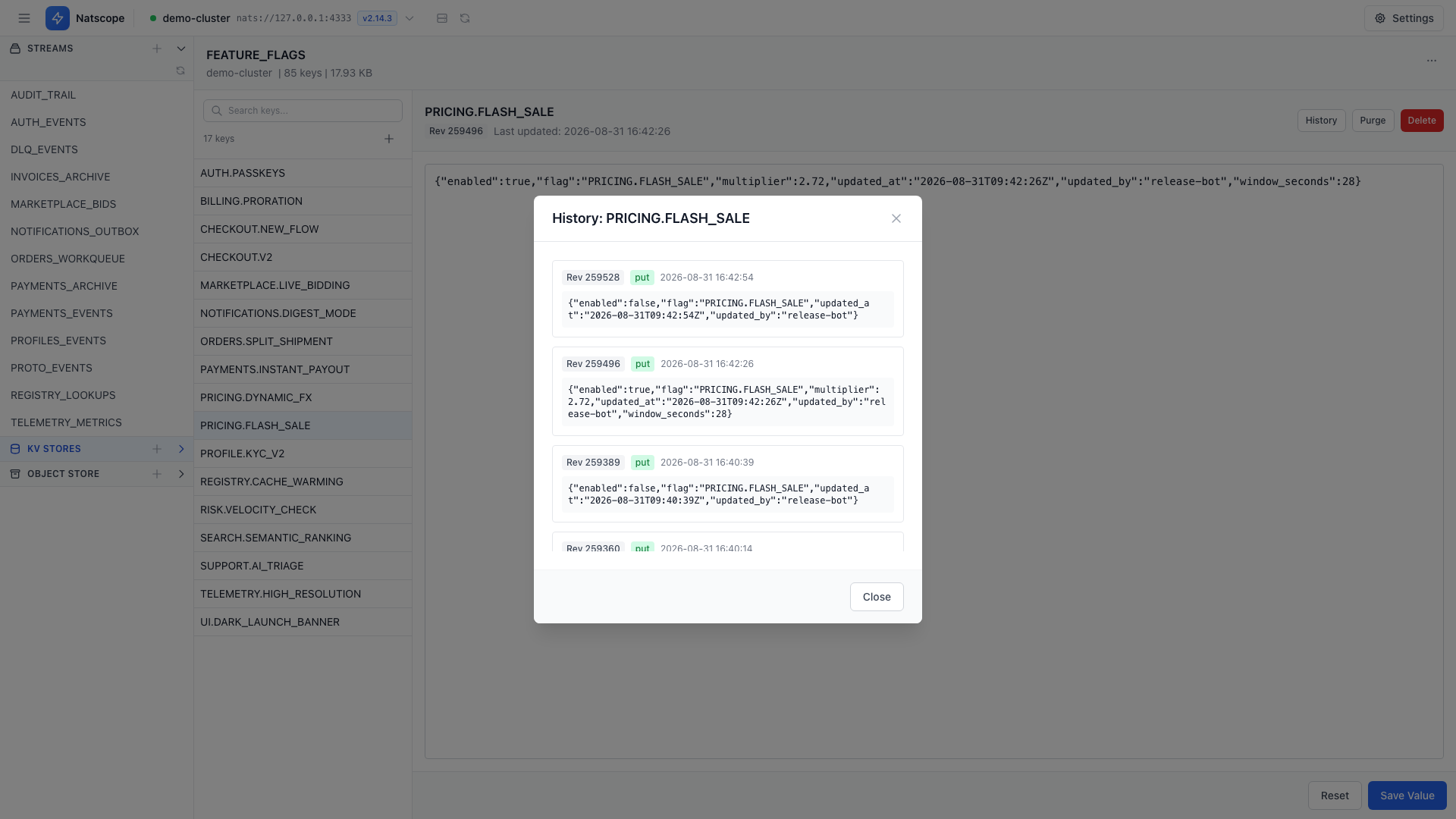
- History — open the revision history
- Purge — drop the key's history
- Delete — remove the key
New key or Create New Key adds one. In create mode the save button reads Create Key.
Revision history
History lists every revision of a key with its operation badge: put, delete or purge. Walk back through them to see what a value looked like and when it changed.
Confirmations
Deleting a key and purging its history both prompt by default. Both prompts have their own toggle under Settings → Preferences → Behavior.