
Messages
The Messages tab is where you read a stream. It opens in History mode: a paginated list of stored messages, newest first. Click a row and the side panel shows its NATS headers, timing and payload.
The same tab flips to Realtime for live tailing. See Live tail.
Filter and search
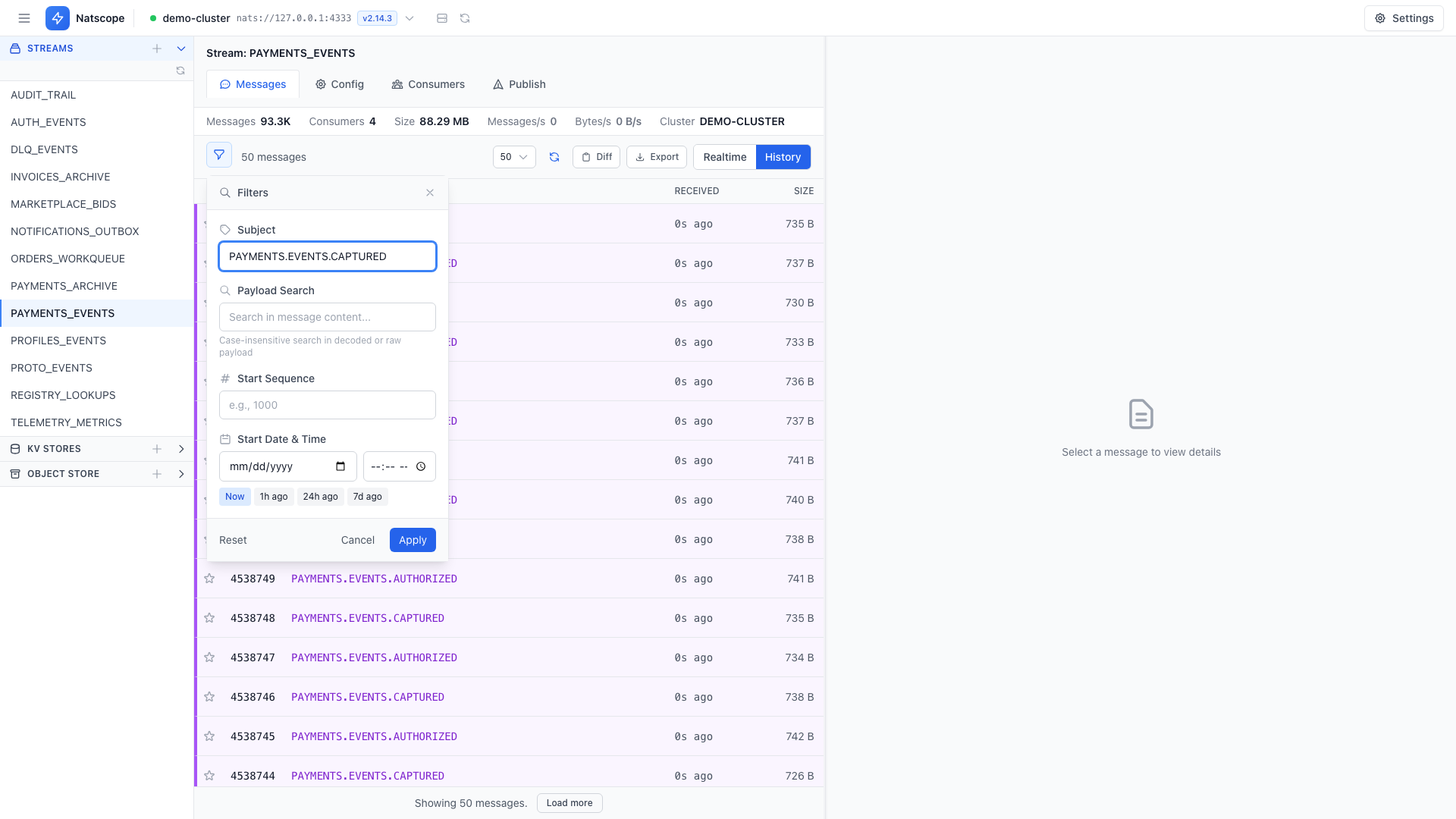
Click Filters in the toolbar to open the filter panel:
- Subject — a NATS pattern.
*matches one token, a trailing>matches one or more. - Payload Search — case-insensitive text search across the decoded or raw payload.
- Start Sequence — begin the listing at a stream sequence.
- Start Date & Time — jump to the first message published at or after a timestamp. Quick chips: Now, 1h ago, 24h ago, 7d ago.
Apply runs the filter, Reset clears it. Active filters show as chips above the list.
Read a payload
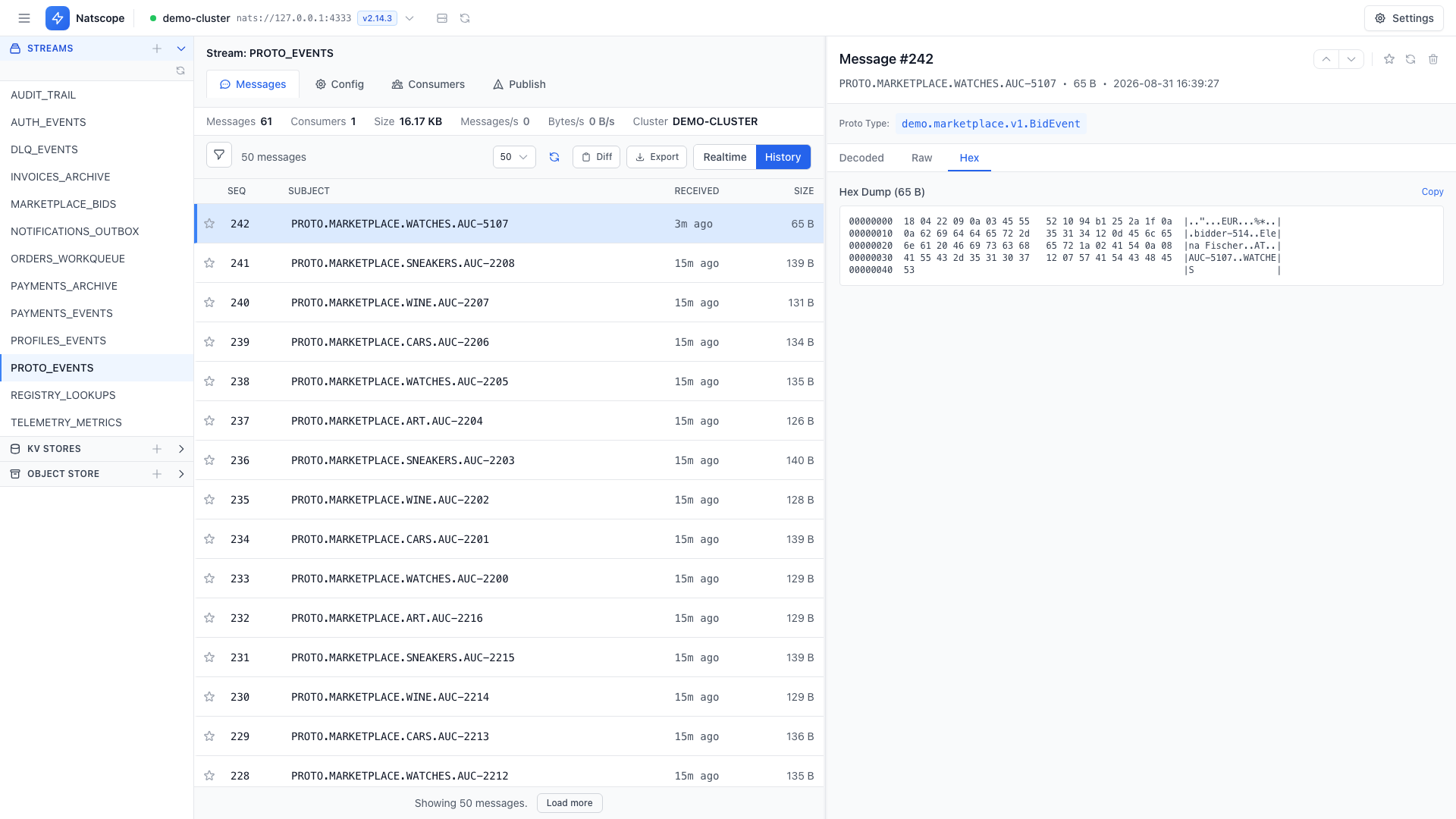
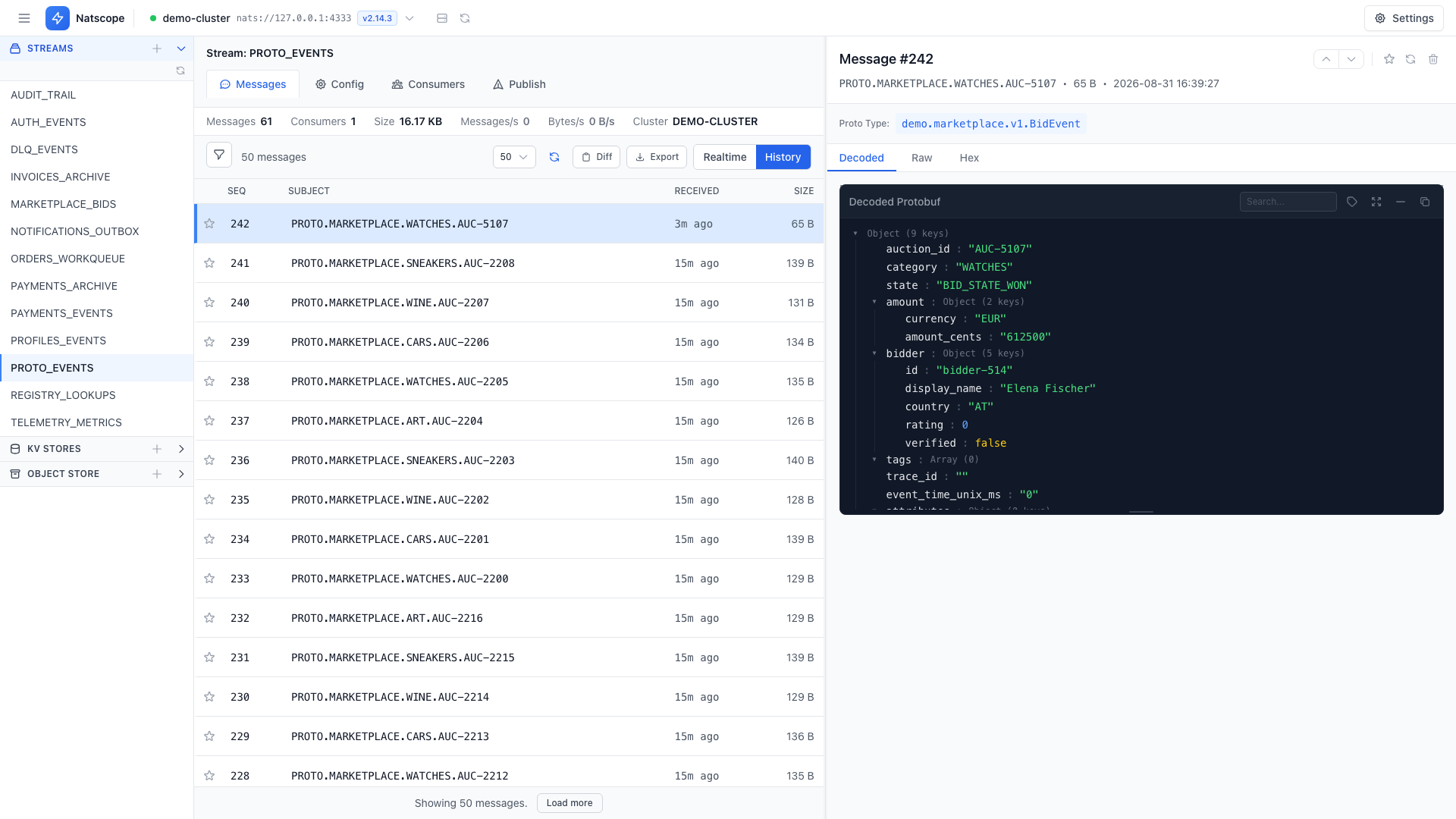
The payload viewer has several views of the same bytes:
- Decoded JSON when a Protobuf mapping matches the subject
- Raw text
- Hex
- Base64
NATS headers sit alongside the payload.
Paging and direction
The toolbar page-size dropdown offers 25, 50, 100, 250 and 500 messages per page. Paging works forward and backward from any sequence. Set the defaults for both under Settings → Preferences → Messages.
Compare two messages
Diff turns on compare mode. Select two messages and Natscope shows a field-level diff of their payloads, so you can see what changed between two events on the same subject.
Export
Export writes messages to JSON, NDJSON or CSV. The full-range scope walks the whole stream server-side with complete payloads (no preview truncation), showing a progress bar you can cancel.
Act on a message
- Edit & resend loads a message back into the publish form with its subject, payload and headers.
- Delete removes a message by sequence, with an optional secure erase.
- Bookmark saves a message with a note so you can find it again.