
Settings
Settings in the header opens six tabs:
| Tab | What it holds |
|---|---|
| Connections | Saved NATS connections. See Connections. |
| Proto Files | Proto sources, versions and the compiled message registry. See Protobuf. |
| Mappings | Subject pattern to message type bindings. See Protobuf. |
| Templates | Reusable publish presets. See Templates. |
| Preferences | Display, fetching and behavior options. Covered below. |
| Workspace | Export and import. See Workspace. |
Preferences save to the backend per user, so they follow you across browsers on the same Natscope instance.
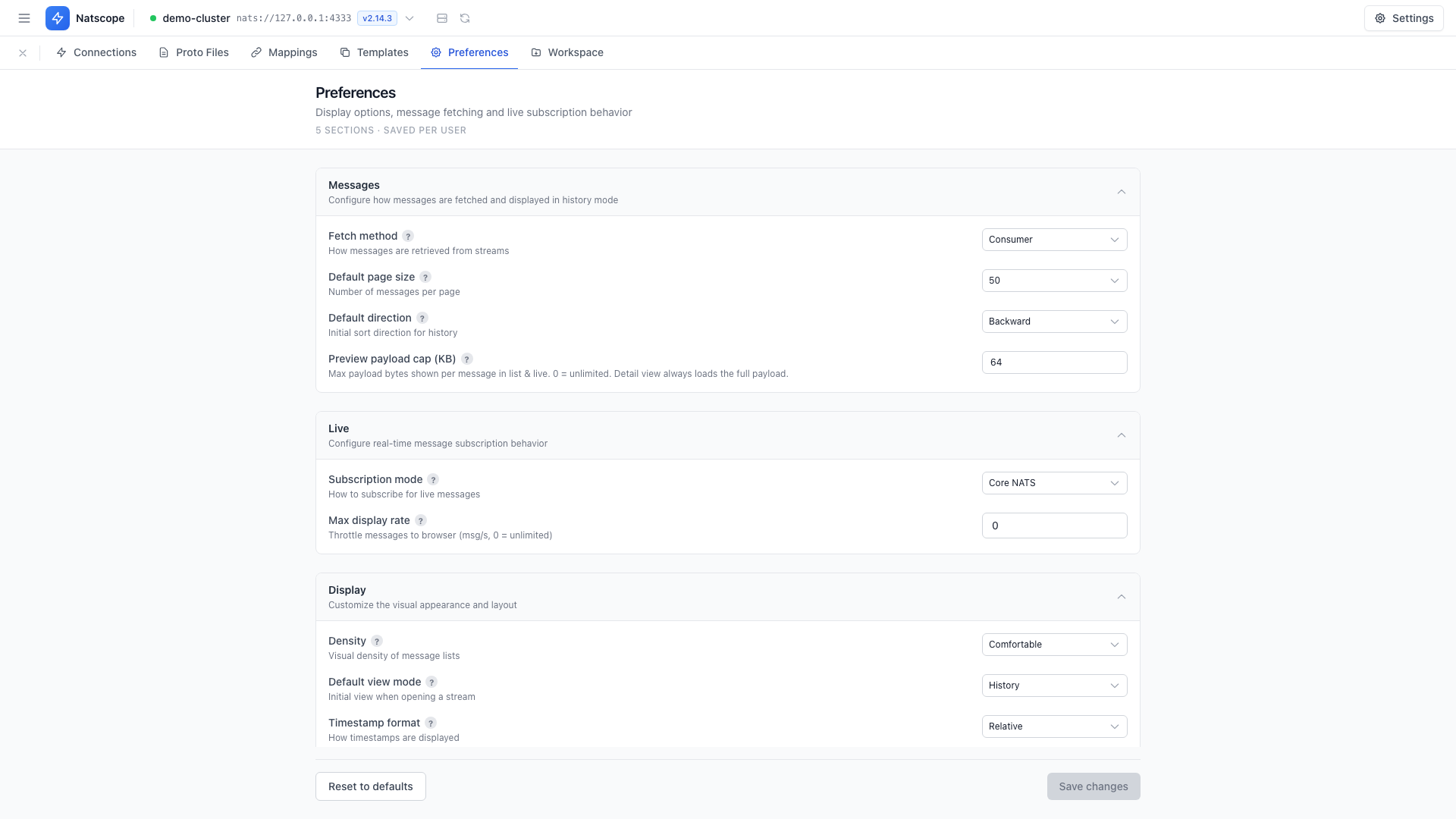
Preferences
Five collapsible sections.
Messages
- Fetch method — Direct or Consumer
- Default page size — 25, 50, 100 or 250
- Default direction — Backward or Forward
- Preview payload cap (KB) — how much of a large payload the list preview renders before you ask for the whole thing
Live
- Subscription mode — Core NATS or JetStream Ordered
- Max display rate — messages per second,
0for unlimited. This throttles rendering, not the subscription. See Live tail.
Display
- Density — Comfortable or Compact
- Default view mode — History or Realtime
- Timestamp format — Relative, Absolute or ISO 8601
- JSON indent size — 2 or 4 spaces
- Auto-scroll live — follow new messages in Realtime mode
Publish
- Publish timeout — JetStream ack timeout, in seconds
Behavior
Confirmations holds one toggle per destructive action:
- Confirm before deleting a consumer
- Confirm before deleting a message
- Confirm before deleting a KV key
- Confirm before deleting an object
- Confirm before purging KV key history
Each confirmation dialog also has a Don't ask again checkbox, and Reset all confirmations brings every prompt back. Operations that cannot be undone keep type-to-confirm whatever you set here.
Defaults holds Secure delete by default, which applies secure erase when you delete a message.
Keyboard shortcuts
| Shortcut | Action |
|---|---|
Cmd+K / Ctrl+K | Open the command palette |
Cmd+Enter / Ctrl+Enter | Publish from the Publish tab |
The command palette searches streams, KV buckets and object buckets by name, and carries commands for Go to Streams, Go to KV Stores, Go to Object Stores, Toggle Density and Disconnect.