
Consumers
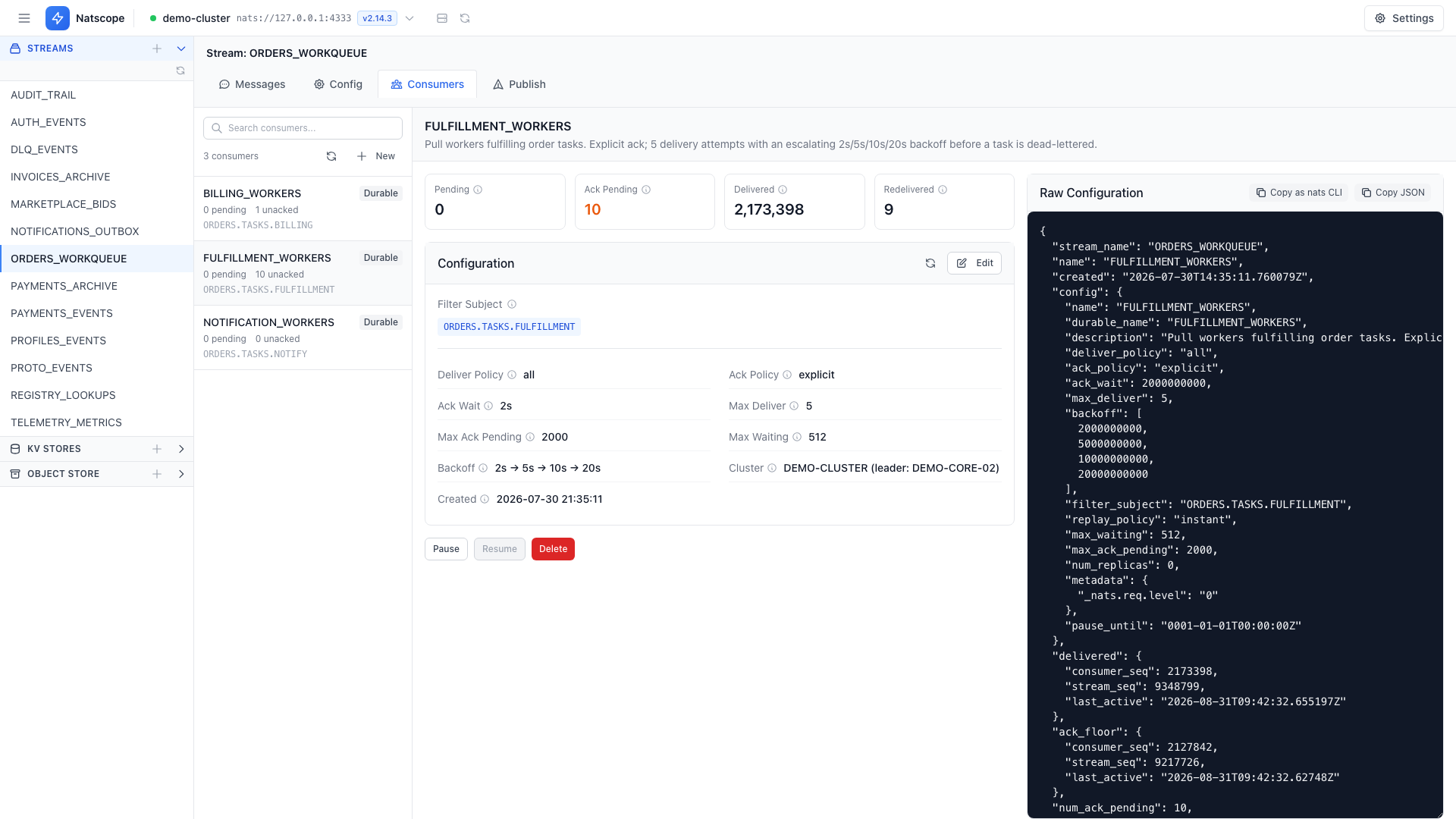
The Consumers tab of a stream lists every consumer bound to it with its pending, ack and redelivery counters. Selecting one opens the full config for editing.
Natscope supports both pull and push consumers, durable and ephemeral.
Create a consumer
- Open a stream, go to the Consumers tab.
- Click Create New Consumer.
- Fill in the config and save.
The form covers the JetStream consumer surface:
- Delivery policy — all, last, new, by start sequence, by start time
- Ack policy — none, all, explicit
- Filter subjects — one or several
- Backoff — an array of redelivery delays
- Max deliver and max ack pending
- Flow control for push consumers
- Deliver subject and deliver group for push consumers
- Replicas
Edit a consumer
Select a consumer, change the fields, and save. Natscope shows Confirm Consumer Configuration Changes with a field-level diff before it sends anything to the server.
Pause and resume
Pause stops delivery until a chosen time. Paused consumers carry a paused-until badge in the list. Resume lifts it early.
Delete
Deleting a consumer asks for confirmation by default. Turn that prompt off under Settings → Preferences → Behavior.
Copy as nats CLI
Copy as nats CLI turns the selected consumer config into a nats consumer add command you can paste into a terminal or commit to a repo.